



Brightcall Dialer · Byggt för ditt säljteam

Kontaktcenter för sälj- och supportteam

Ring och ta emot affärssamtal direkt från CRM, dator eller mobil. Brightcall samlar CTI, Power Dialer, samtalsstyrning och överföring, livetranskription, inspelningar och analys i ett molnbaserat kontaktcenter.

Automatisera
utgående samtal
Håll ditt CRM
synkroniserat
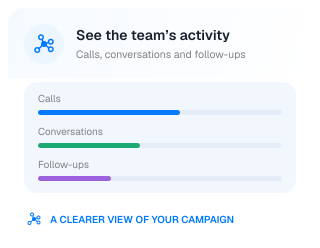
Följ
varje samtal

Se Brightcall Dialer i praktiken

Se hur du skapar en kampanj, importerar kontakter och startar en ringomgång.

Hundratals företag litar på oss

Steelwrist
Meraki Group
Nissan
Upsales
Ray White
CashDirect
NLCS Singapore
Prioritet Finans
Bil i Nord
Street.co.uk
FloorVenue
The Heart of Europe
Spear Education
GEMS Education
Europe Emirates Group
Propertissimo
Bertel O. Steen
D&B Properties
Step-by-step workflow

From a contact list
to a productive calling session.

Bring the right contacts together, set your calling rhythm and let your team focus on the conversation.

01Build your campaign

Import a contact list or bring contacts in from your connected CRM.

02Set the cadence

Choose calling hours and the time between follow-up attempts.

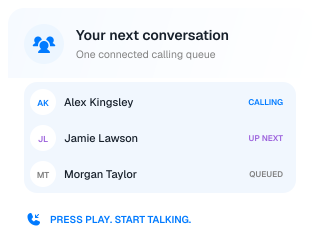
03Press play

Start the queue and move through your contacts without dialing each number.

04Keep the context

Record the outcome and keep the next action connected to the contact.

Built for real sales work

Find your rhythm.
Keep the conversations moving.

Create a calling workflow around the way your team builds relationships.

Sales outreach

A focused session starts with a ready queue.

Bring campaign contacts into one place and let the Dialer handle the movement between calls.

  • Import contacts from a CRM or spreadsheet
  • Assign the right reps to the project
  • Keep contact details close during the call
A complete calling workflow

More focus on the call.
Less work around it.

Keep the practical details together, from the first ring to the follow-up.

Context before the hello

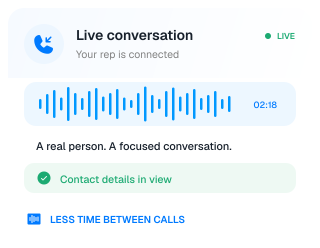
See the contact details and keep useful notes close while you speak.

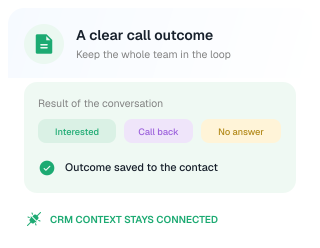
A clear result after the call

Tag the outcome so your team can understand what happened and what needs attention.

Your CRM stays in the picture

Connect call activity and recordings with the customer records your team already uses.

Control the calling experience

Your campaign.
Your calling rhythm.

Give each project the settings it needs, from the number customers see to how your team follows up.

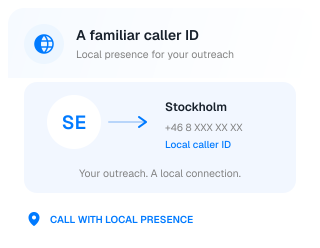
Local caller ID

Use configured local numbers to give prospects a familiar number when your team calls.

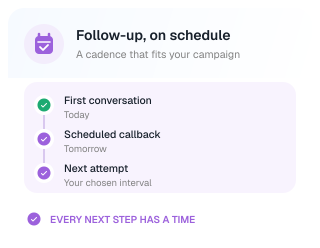
Flexible outreach cadence

Choose the timing of calls and repeat attempts around your campaign and team availability.

Visibility for your managers

Review calling activity, outcomes and recordings to support better follow-up and coaching.

Built for your team

A better calling day.
For the whole team.

Support the people making calls and the people helping them succeed.

For sales reps

Start a prepared calling session and stay focused on the person at the other end of the line.

Less manual work

For team leaders

Review activity and call outcomes to see where your team needs support or a better follow-up plan.

Clear activity insights

For operations

Keep campaign setup, contact sources and CRM connections in one repeatable process.

Connected workflow
Pipedrive
Cal.com
Calendly
Upsales
Zapier
Odoo
Zoho
Salesforce
Facebook
LeadSquared
Zendesk
Copper
HubSpot
GoHighLevel
Integrationer

Dina AI-samtal. Anslutna till dina verktyg.

Koppla kontakter, kunskap, kalendrar och samtalsresultat till verktygen ditt team använder. Driv nästa steg framåt utan att tappa samtalets sammanhang.

Utforska integrationer
Reviews

What Customers Say

Real feedback from teams using Brightcall every day.

Trusted by +1000 Customers

Brightcall’s instant callback feature transformed the way we handle inbound leads. We’re connecting with customers faster, booking more sales calls, and converting more website visitors into real buyers.

Mathew Lee
Mathew Lee
CEO, AUTO MEEG

Brightcall’s instant callback feature transformed the way we handle inbound leads. We’re connecting with customers faster, booking more sales calls, and converting more website visitors into real buyers.

Mathew Lee
Mathew Lee
CEO, AUTO MEEG

Brightcall’s instant callback feature transformed the way we handle inbound leads. We’re connecting with customers faster, booking more sales calls, and converting more website visitors into real buyers.

Mathew Lee
Mathew Lee
CEO, AUTO MEEG

Brightcall’s instant callback feature transformed the way we handle inbound leads. We’re connecting with customers faster, booking more sales calls, and converting more website visitors into real buyers.

Mathew Lee
Mathew Lee
CEO, AUTO MEEG

Brightcall’s instant callback feature transformed the way we handle inbound leads. We’re connecting with customers faster, booking more sales calls, and converting more website visitors into real buyers.

Mathew Lee
Mathew Lee
CEO, AUTO MEEG

Brightcall’s instant callback feature transformed the way we handle inbound leads. We’re connecting with customers faster, booking more sales calls, and converting more website visitors into real buyers.

Mathew Lee
Mathew Lee
CEO, AUTO MEEG
LET’S TALK GROWTH

Med kraft från AI.
Människan i centrum.

Ge ditt team mer tid för samtalen som gör skillnad.

BOKA EN DEMO

En demo anpassad efter ditt team.

A smiling professional in a blue shirt, ready for a conversation
Mindre rutinarbete.
Mer mänsklig kontakt.
FAQ

Everything You
Need to Know

Clear answers about Brightcall Dialer, campaigns, calling cadence, local caller ID, CRM connections and getting your team started.

What is Brightcall Dialer?

Brightcall Dialer is a calling workspace for sales teams. It organizes campaign contacts, automates dialing and keeps call outcomes connected to your workflow.

How is Dialer different from AI Agent?

With Dialer, your sales reps have the conversation while Brightcall handles the dialing workflow. AI Agent conducts configured voice conversations itself and can hand calls over to your team.

How do I add contacts to a campaign?

Import an Excel or CSV list, or bring contacts into a project through a supported CRM integration or automation. Assign the project to the reps who will make the calls.

Do reps need to dial each number manually?

No. Reps select their assigned project and start auto-dialing. Brightcall moves through the contact list, while the rep can stop the calling session when needed.

Can I connect Dialer to my CRM?

Yes. Brightcall supports CRM integrations that connect contacts, calling activity and recordings with your customer records. The exact fields and workflow depend on the integration you configure.

Can my team use local caller ID?

Yes. Configure local presence numbers for your calling workflow so customers see a familiar caller ID. Available numbers and setup depend on the countries you want to call.

Can I control follow-up timing?

Yes. Set a calling cadence for the project, including when to call contacts and the interval between attempts. Build the schedule around your campaign and team.

How are call outcomes recorded?

After a call, reps can select a result tag and add relevant notes. Managers can review call activity and outcomes in the dashboard to understand progress and follow-up needs.

Can reps make calls from the browser or a phone?

Yes. Brightcall offers a web calling option and a workflow that connects the call through the rep’s mobile phone. The Brightcall mobile app is also available.

How do we get started with Dialer?

Create a calling project, assign your team, configure the cadence and add contacts. The product video above walks through the setup and starting a calling session.